Gundam Model Custom Packaging
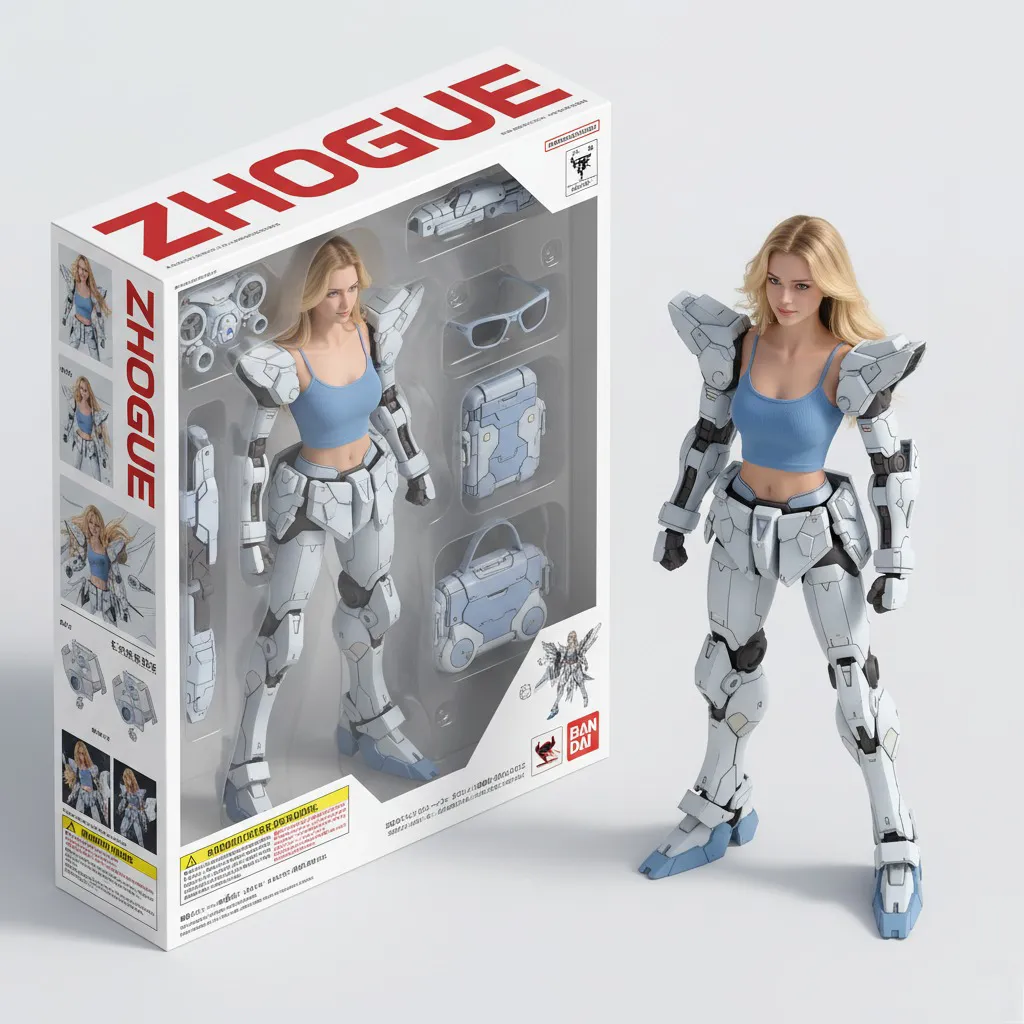
Transform characters into mecha versions, creating exclusive "ZHOGUE" series Gundam models with futuristic tech versions of personal accessories, presenting professional model packaging quality
Pro Tip
The box title is "ZHOGUE" by default. Add "label the box 'YOUR NAME' instead" to change it.
Full Prompt
How to Use Gundam Model Custom Packaging
- 1
Click Use This Template
The editor opens with [Gundam Model Custom Packaging] in the prompt box. The full prompt above is applied when you generate.
- 2
Upload your photo
A full-body photo of one person, ideally holding or wearing everyday items you want turned into mecha gear.
- 3
Add your own details
Type them after the template name, for example "[Gundam Model Custom Packaging], label the box 'NOVA-07' instead of ZHOGUE".
- 4
Choose a model and generate
NanoBanana Pro is a good place to start: Box art, title text, manual-style details and a separate figure make a complex scene, which is where Nanobanana Pro is strongest.
Good For
- A one-of-a-kind birthday image for a friend who loves model kits.
- A personal brand visual that turns your daily gear into sci-fi accessories.
- Team or club posts where each member gets their own kit box.
More Tips
- Items visible in your photo, like headphones or a backpack, give the model clear things to turn into mecha parts.
- Pick 2K or 4K so the small technical labels on the box have room to stay legible.
Ideas to Try
Type one of these after [Gundam Model Custom Packaging] in the prompt box.
Custom title
label the box 'NOVA-07' instead of ZHOGUE
Color scheme
white and crimson armor with gold trim
Camera gear
turn my camera and backpack into a beam rifle and jetpack