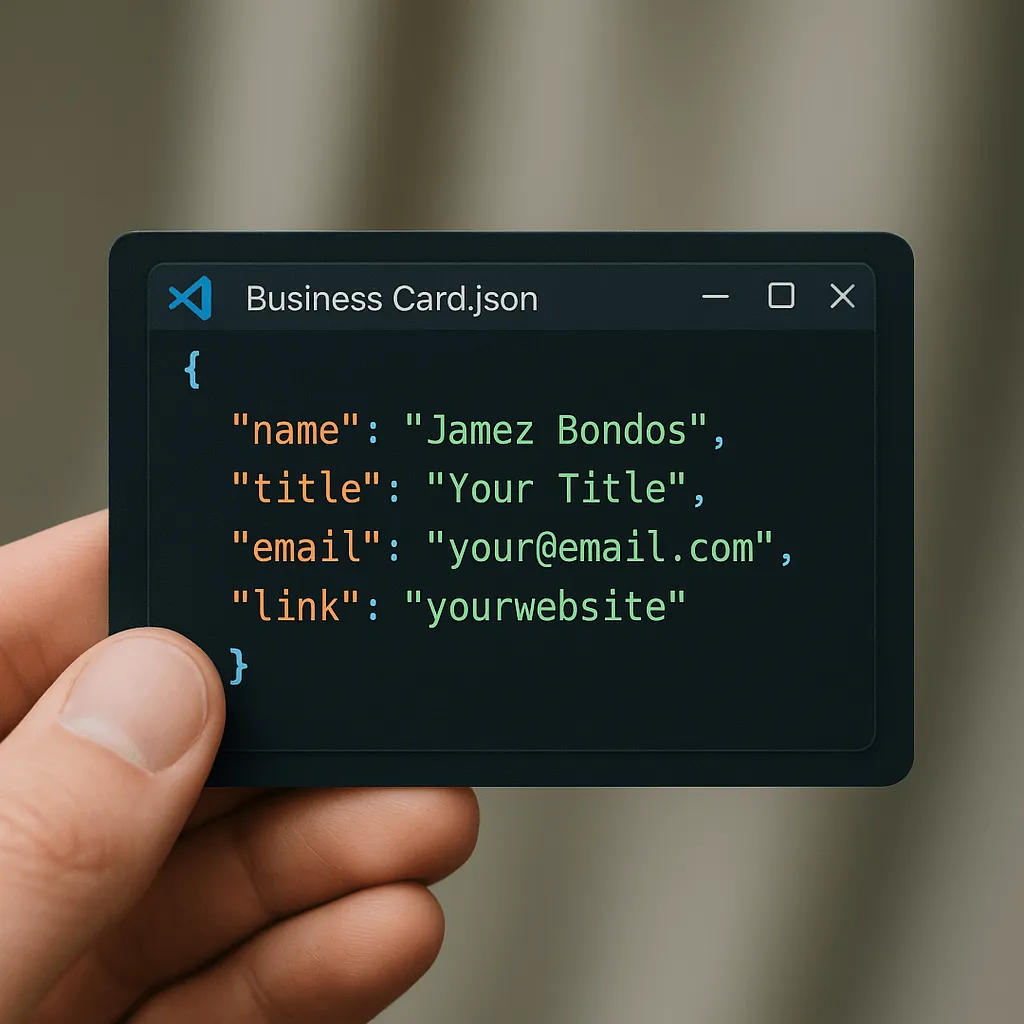
Code Business Card Design
Transform traditional business cards into JSON file style in VS Code editor, a unique design blending programmer culture with business networking
Pro Tip
The prompt fills the card with placeholders like "Jamez Bondos". Add yours as "use these details instead: name: ..., title: ...".
Full Prompt
How to Use Code Business Card Design
- 1
Click Use This Template
The editor opens with [Code Business Card Design] in the prompt box. The full prompt above is applied when you generate.
- 2
Describe your subject
This template works from text alone: say what you want to see after the template name.
- 3
Add your own details
Type them after the template name, for example "[Code Business Card Design], use these details instead: name: Mia Chen, title: Frontend Developer, email: mia@example.com, link: example.com/mia".
- 4
Choose a model and generate
NanoBanana Pro is a good place to start: Almost everything on this card is text, and Nanobanana Pro is the model built for rendering text legibly.
Good For
- A memorable card mockup for developers, freelancers or tech meetups.
- A profile banner or portfolio image that presents your contact details as JSON.
- Testing a playful card idea before sending a real design to print.
More Tips
- Keep each value short; long job titles and URLs are more likely to come out misspelled or cramped.
- Choose 2K or 4K and check every character before sharing; generate again if a letter is off.
Ideas to Try
Type one of these after [Code Business Card Design] in the prompt box.
Your details
use these details instead: name: Mia Chen, title: Frontend Developer, email: mia@example.com, link: example.com/mia
Dark theme
dark editor theme, neon syntax colors, office desk background
Extra field
add a line: skills: [React, Python, Figma]