Surreal Film Photography
Give images a dreamlike, cinematic film look with surreal touches
Pro Tip
Combine one ordinary place with one impossible element, like "a lighthouse in a desert" or "a whale above a city".
Full Prompt
How to Use Surreal Film Photography
- 1
Click Use This Template
The editor opens with [Surreal Film Photography] in the prompt box. The full prompt above is applied when you generate.
- 2
Describe your subject
This template works from text alone: say what you want to see after the template name.
- 3
Add your own details
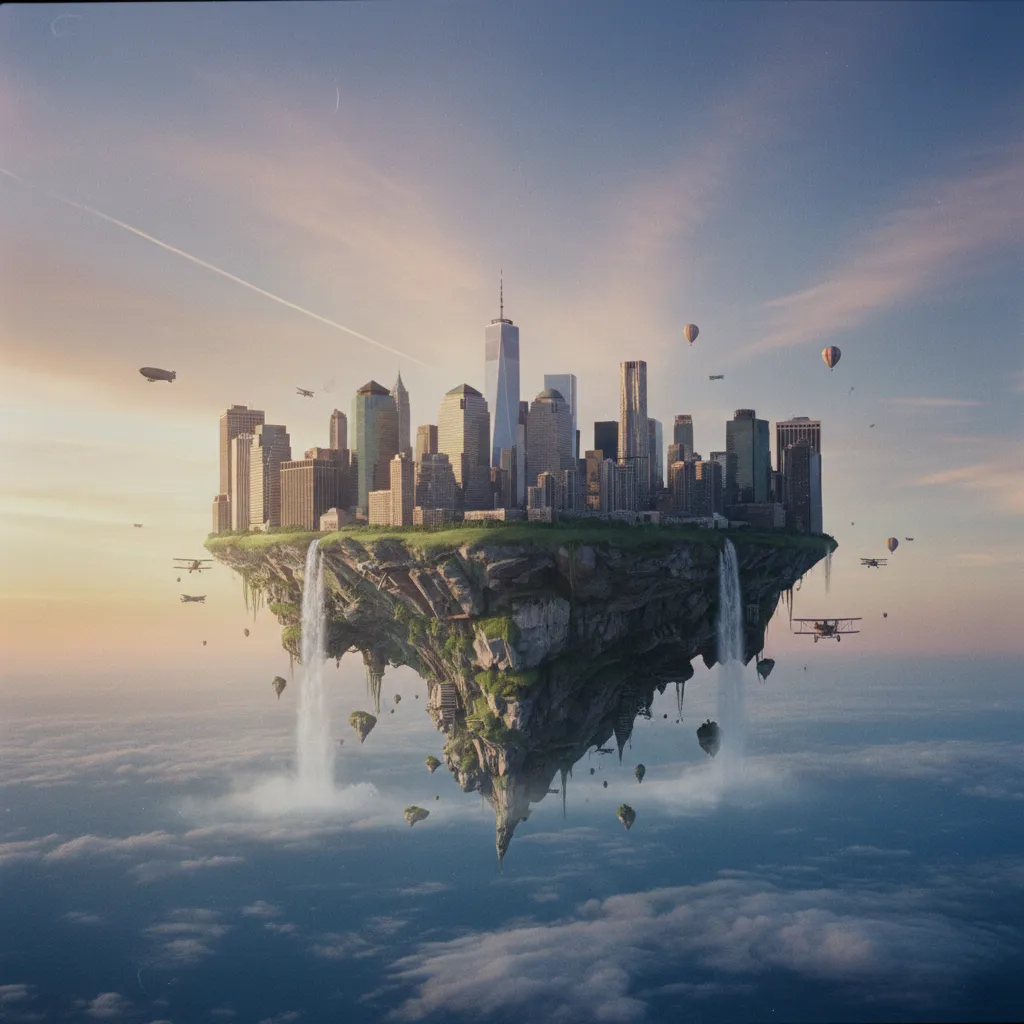
Type them after the template name, for example "[Surreal Film Photography], a city on a floating rock island above the clouds, waterfalls, hot air balloons".
- 4
Choose a model and generate
Z-Image Turbo is a good place to start: This template builds a scene from your description, so Z-Image Turbo can try ideas cheaply at 6 credits for 1K or 2K.
Good For
- Album, poster or book covers with a dreamlike mood.
- Mood boards for a short film or music video.
- Artistic wallpapers built around one strange idea, like a floating city.
More Tips
- Name a film look, such as "35mm Kodak Portra grain" or "faded 1970s color", to strengthen the cinematic mood.
- Z-Image Turbo only reads text. To give your own photo this look, upload it and choose Nanobanana 2 instead.
Ideas to Try
Type one of these after [Surreal Film Photography] in the prompt box.
Floating city
a city on a floating rock island above the clouds, waterfalls, hot air balloons
Desert sail
a sailboat crossing desert dunes at dusk, 35mm film grain
Giant moon
an oversized moon over a quiet suburban street, faded 1970s color