Cosplay Photography
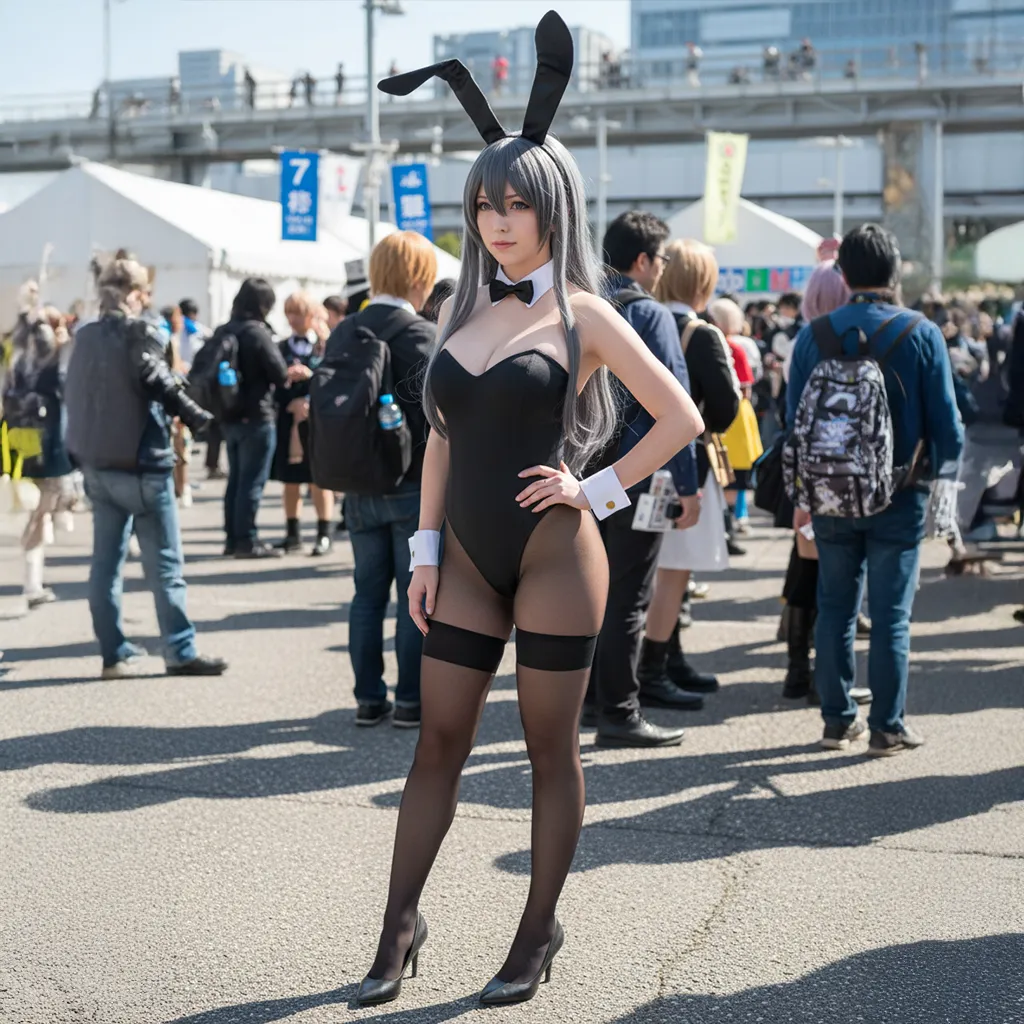
Create professional cosplay portraits that highlight the character and costume details
Pro Tip
Name the character type and the key costume parts, like "red cape, silver armor, braided wig".
Full Prompt
How to Use Cosplay Photography
- 1
Click Use This Template
The editor opens with [Cosplay Photography] in the prompt box. The full prompt above is applied when you generate.
- 2
Describe your subject
This template works from text alone: say what you want to see after the template name.
- 3
Add your own details
Type them after the template name, for example "[Cosplay Photography], silver-haired swordswoman in navy armor, outdoor convention plaza, sunny day".
- 4
Choose a model and generate
Z-Image Turbo is a good place to start: This template needs no photo, so Z-Image Turbo can turn a character description into a convention-style shot for 6 credits.
Good For
- Seeing a character portrayed at a convention before you build the costume.
- Reference shots for poses, props and costume details.
- Mood images for planning a cosplay group or photo shoot.
More Tips
- Add where the photo is taken, such as a convention hall or outdoor plaza, plus the lighting.
- Z-Image Turbo cannot read uploads. To restyle a photo of your own costume, switch to GPT Image 2.
Ideas to Try
Type one of these after [Cosplay Photography] in the prompt box.
Outdoor con
silver-haired swordswoman in navy armor, outdoor convention plaza, sunny day
Studio shoot
dark studio backdrop, dramatic rim light, full-body pose
Prop detail
close-up on the hand-painted staff and embroidered cloak