Social Media Chibi Character
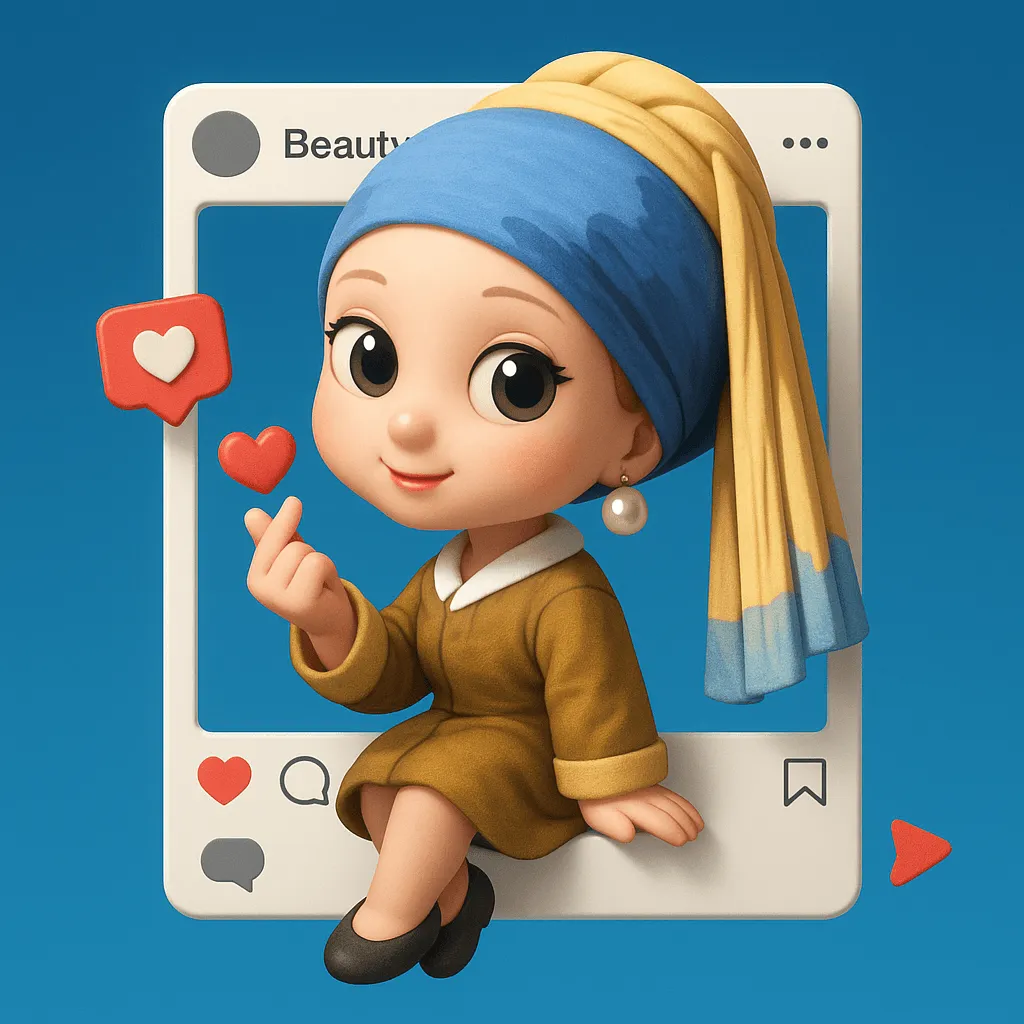
Create chibi 3D characters sitting on Instagram frames, combining heart gestures and social interaction elements to craft fun social media avatars
Pro Tip
The frame shows the username "Beauty" by default. Add "username '@yourname' instead" to put your handle there.
Full Prompt
How to Use Social Media Chibi Character
- 1
Click Use This Template
The editor opens with [Social Media Chibi Character] in the prompt box. The full prompt above is applied when you generate.
- 2
Upload your photo
A clear full-body or half-body photo of one person, so the chibi can copy the face, hair and outfit.
- 3
Add your own details
Type them after the template name, for example "[Social Media Chibi Character], username '@mia.draws' instead of Beauty".
- 4
Choose a model and generate
NanoBanana 2 is a good place to start: The prompt stresses preserving facial features and clothing, and Nanobanana 2 keeps more detail from the reference.
Good For
- A playful avatar or banner for an Instagram, TikTok or creator profile.
- Celebrating a follower milestone with a cute 3D version of yourself.
- Personalized images for friends' birthdays or shout-outs.
More Tips
- Outfits with clear colors and simple patterns carry over to the chibi better than busy prints.
- If your handle comes out misspelled, try Nanobanana Pro, which is better at readable text.
Ideas to Try
Type one of these after [Social Media Chibi Character] in the prompt box.
Your handle
username '@mia.draws' instead of Beauty
Milestone
balloons and a '10K' banner above the frame
Pastel theme
pastel pink frame, floating hearts and stars