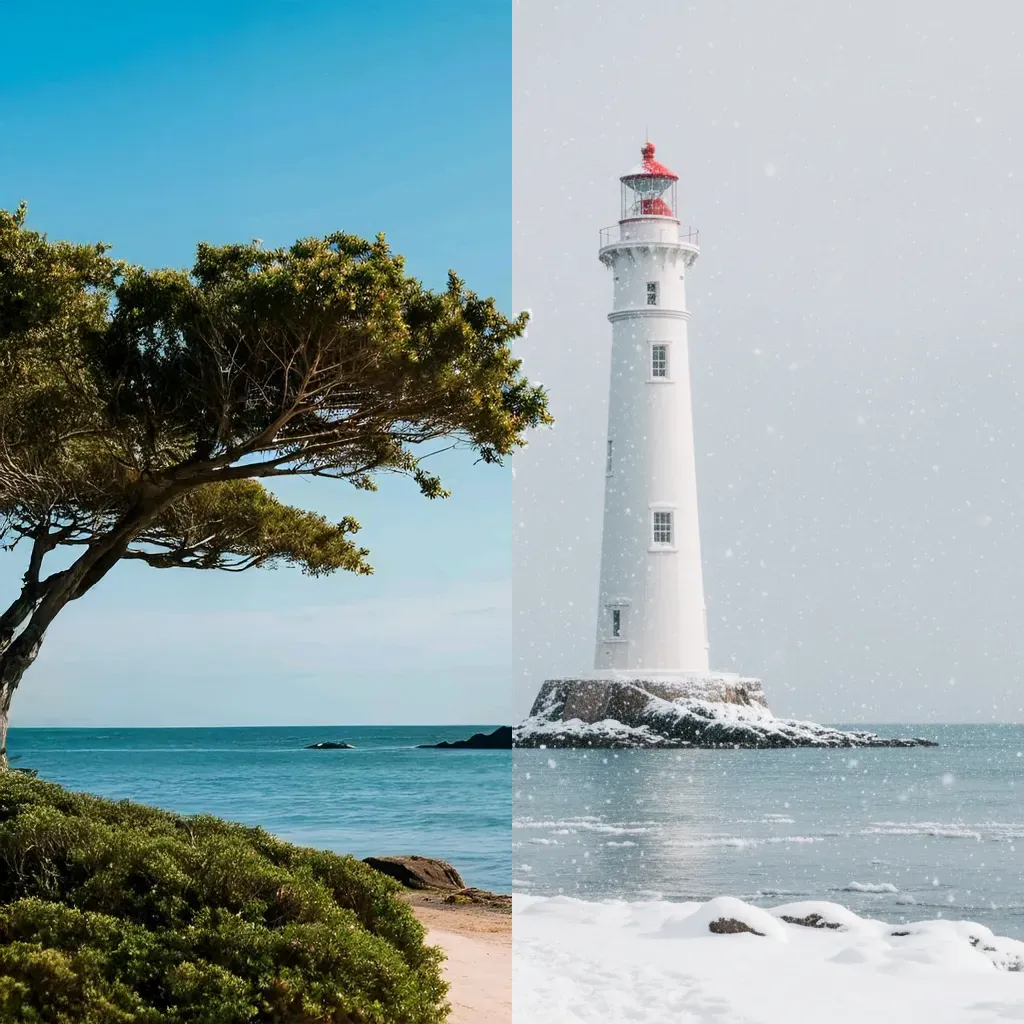
Snow Scene Weather Effect
Preserve all details while transforming weather to heavy snowfall with thick snow accumulation on the ground for a winter scene
Pro Tip
Wide outdoor shots with roofs, roads and trees give the snow plenty of surfaces to settle on.
Full Prompt
How to Use Snow Scene Weather Effect
- 1
Click Use This Template
The editor opens with [Snow Scene Weather Effect] in the prompt box. The full prompt above is applied when you generate.
- 2
Upload your photo
An outdoor photo of a street, house, park or landscape taken in clear or cloudy weather.
- 3
Add your own details
Type them after the template name, for example "[Snow Scene Weather Effect], heavy falling snow, gray sky, low visibility".
- 4
Choose a model and generate
NanoBanana 2 is a good place to start: The prompt asks to keep every detail, and Nanobanana 2 keeps more of the reference intact while it adds the snow.
Good For
- Winter or holiday versions of a home, shop front or travel photo.
- Seasonal greeting cards made from a summer snapshot.
- Seeing how a property or garden might look in winter.
More Tips
- Mention falling snow or a clear sky after the storm to set the mood.
- If people are in the photo, add "winter coats" so their clothes fit the weather.
Ideas to Try
Type one of these after [Snow Scene Weather Effect] in the prompt box.
Blizzard
heavy falling snow, gray sky, low visibility
Christmas
warm window lights and Christmas lights on the houses
Morning after
snow has stopped, bright blue sky, fresh footprints