Disney Dream Background
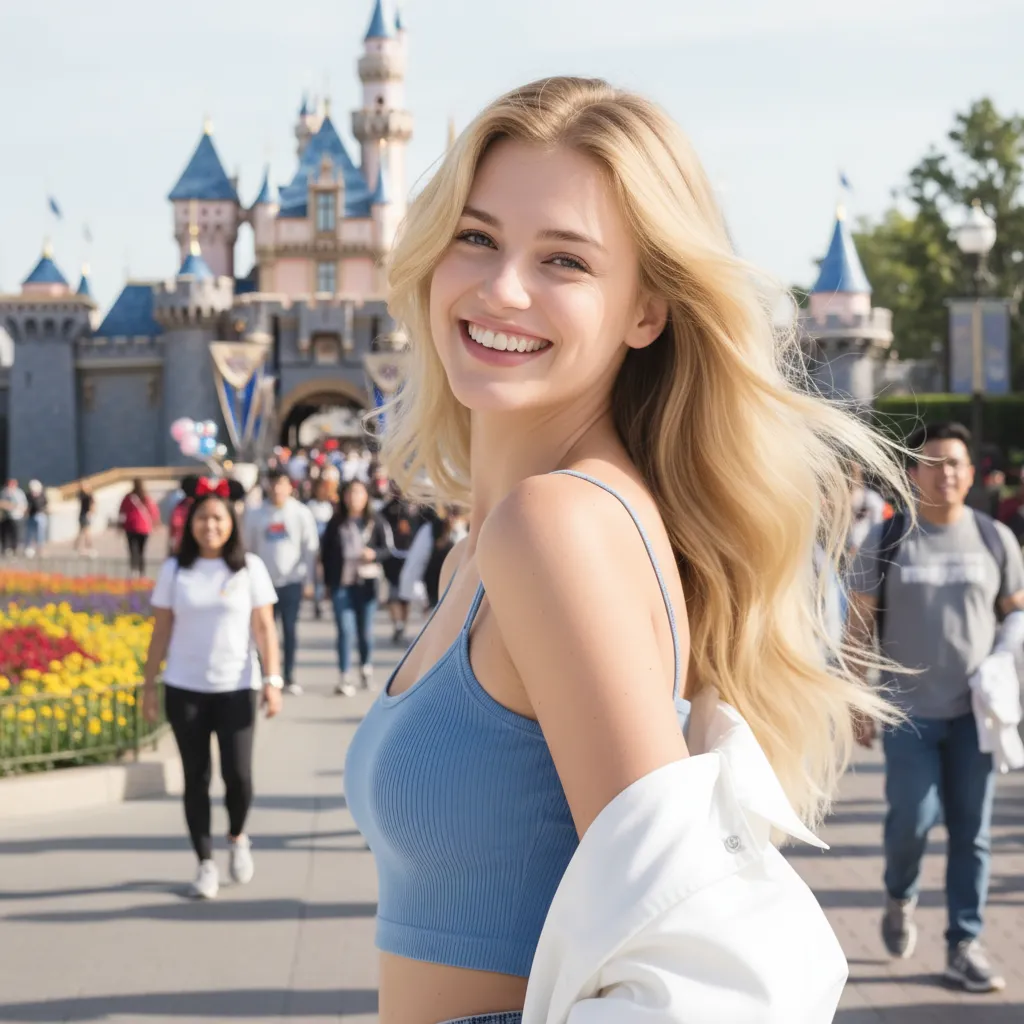
Replace the background with Disneyland while maintaining original color tones, achieving a magical theme scene transformation
Pro Tip
The prompt keeps the original color tone, so a warm sunset photo gets a warm-toned park. Pick the starting photo with that in mind.
Full Prompt
How to Use Disney Dream Background
- 1
Click Use This Template
The editor opens with [Disney Dream Background] in the prompt box. The full prompt above is applied when you generate.
- 2
Upload your photo
A photo of a person, couple or family where the subject stands out clearly from the background.
- 3
Add your own details
Type them after the template name, for example "[Disney Dream Background], in front of the castle at night with fireworks".
- 4
Choose a model and generate
NanoBanana is a good place to start: Background swaps are what Nanobanana is good at, and its 10-credit price suits trying several versions.
Good For
- Placing a family snapshot in front of a fairytale castle for a birthday card.
- Trying a theme-park backdrop for a couple's photo or a kid's portrait.
- Before-and-after posts that swap a plain backyard for a magical setting.
More Tips
- Full-body or waist-up shots blend into the new setting more naturally than tight face close-ups.
- Name a spot if you want something specific, like the castle at night or a parade street.
Ideas to Try
Type one of these after [Disney Dream Background] in the prompt box.
Castle night
in front of the castle at night with fireworks
Parade street
on Main Street during a daytime parade
Holiday
Christmas decorations and light snow in the park