Mixed-Material Figure Customization
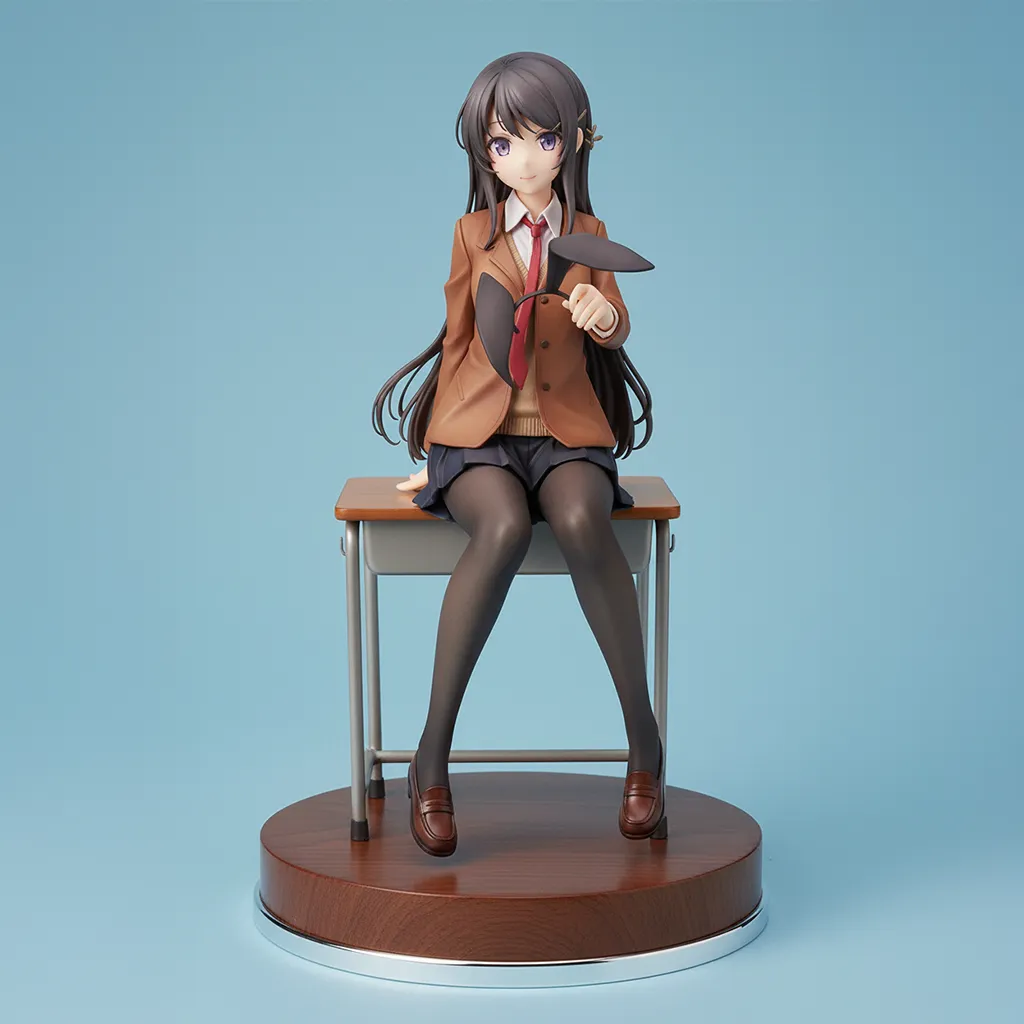
Generate exquisite figure models with pedestals based on photos, using multi-angle lighting to showcase material details, perfect for collection and display
Pro Tip
The prompt says "mixed-material" without naming any. List them, like "cloth jacket, metal buckles, resin hair".
Full Prompt
How to Use Mixed-Material Figure Customization
- 1
Click Use This Template
The editor opens with [Mixed-Material Figure Customization] in the prompt box. The full prompt above is applied when you generate.
- 2
Upload your photo
A full-body image of a person or character where the whole outfit, hands and shoes are visible.
- 3
Add your own details
Type them after the template name, for example "[Mixed-Material Figure Customization], round walnut pedestal with a silver ring, fabric skirt, PVC skin".
- 4
Choose a model and generate
Seedream 5 Lite is a good place to start: Seedream 5 Lite suits example-based edits like this, building the figure from your image at 2K for 14 credits.
Good For
- Seeing your original character as a premium display figure.
- A collector-style render of yourself or a friend as a gift.
- Figure concepts for a crowdfunding page or merch pitch.
More Tips
- A full-body pose matters because the figure is shown head to toe on its pedestal.
- Describe the pedestal if you care about it, such as a round walnut base or a themed rock base.
Ideas to Try
Type one of these after [Mixed-Material Figure Customization] in the prompt box.
Walnut base
round walnut pedestal with a silver ring, fabric skirt, PVC skin
Battle pose
dynamic action pose, cape made of real fabric, metal sword
Glossy resin
pastel blue background, resin hair with glossy highlights