OOTD Fashion Showcase
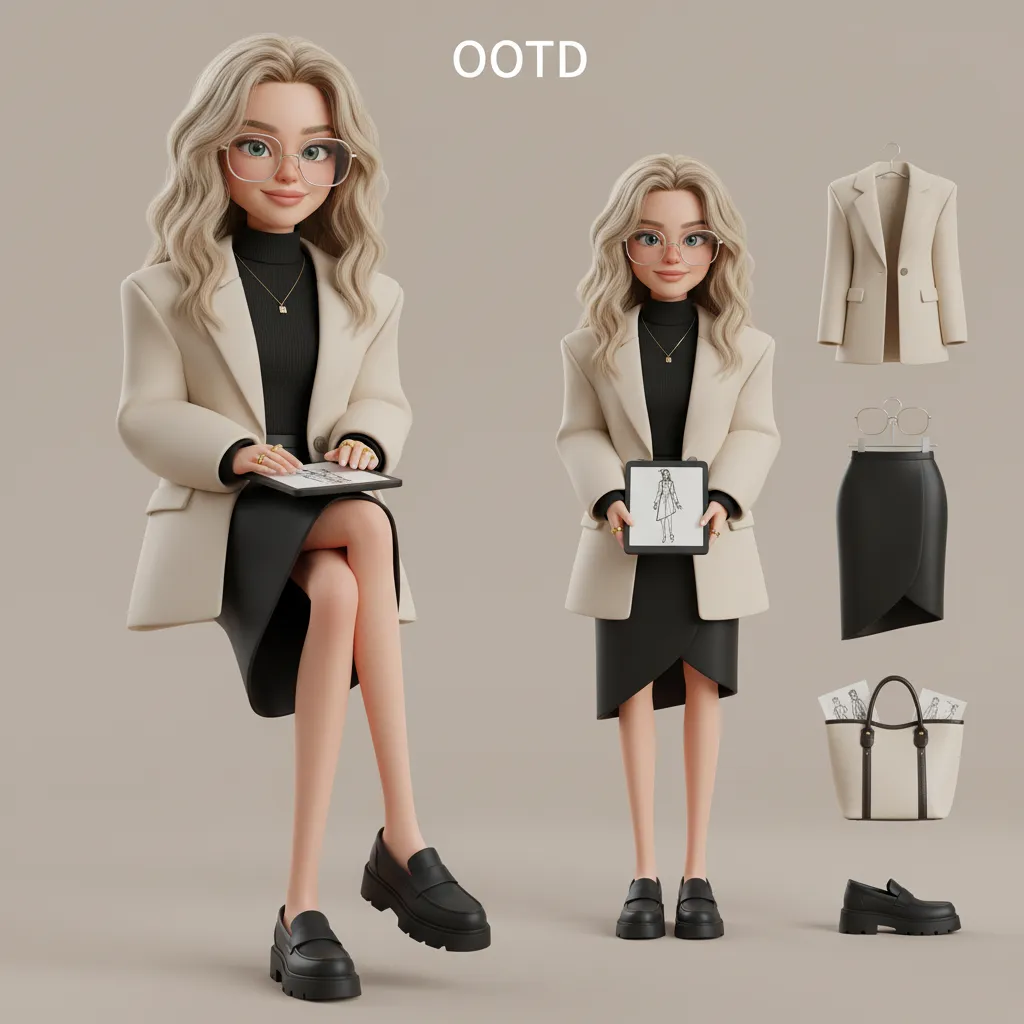
Show off an outfit of the day in a polished fashion-photography layout
Pro Tip
Without photos, describe each piece by color and material, like "camel wool coat, black turtleneck, loafers".
Full Prompt
How to Use OOTD Fashion Showcase
- 1
Click Use This Template
The editor opens with [OOTD Fashion Showcase] in the prompt box. The full prompt above is applied when you generate.
- 2
Describe your subject
This template works from text alone: say what you want to see after the template name.
- 3
Add your own details
Type them after the template name, for example "[OOTD Fashion Showcase], beige blazer, black knit dress, loafers, tote bag, items laid out on the right".
- 4
Choose a model and generate
NanoBanana 2 is a good place to start: Nanobanana 2 handles several reference images, so you can add photos of a top, bottoms and shoes for one outfit.
Good For
- A daily outfit post that shows the full look plus each piece laid out.
- Planning outfits for a trip or event from items you already own.
- Styling boards for a small clothing shop or fashion blog.
More Tips
- To style your own wardrobe, upload a photo of yourself plus photos of each item, up to 7 in total.
- Add a layout note, such as "full look on the left, items on the right", to control the board.
Ideas to Try
Type one of these after [OOTD Fashion Showcase] in the prompt box.
Office look
beige blazer, black knit dress, loafers, tote bag, items laid out on the right
Street style
oversized hoodie, cargo pants, chunky sneakers, city sidewalk
3D cartoon
stylized 3D cartoon character, soft gray studio background