Manga Line Art Conversion
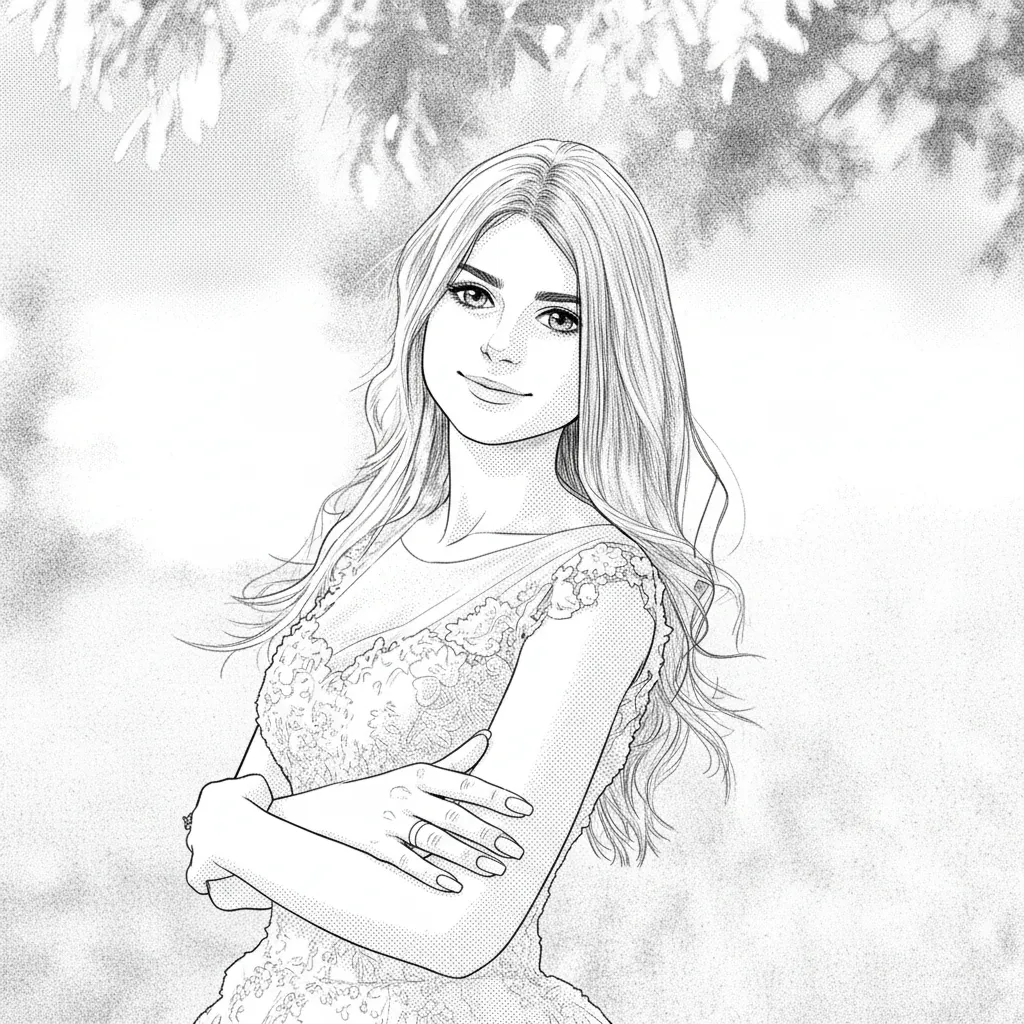
Convert photos or illustrations into black-and-white manga-style line art
Pro Tip
Photos with good contrast and a clear subject give cleaner lines than dark or blurry shots.
Full Prompt
How to Use Manga Line Art Conversion
- 1
Click Use This Template
The editor opens with [Manga Line Art Conversion] in the prompt box. The full prompt above is applied when you generate.
- 2
Upload your photo
A sharp photo or illustration with clear outlines, such as a portrait, pet or street scene.
- 3
Add your own details
Type them after the template name, for example "[Manga Line Art Conversion], classic screentone shading, speed lines in the background".
- 4
Choose a model and generate
Seedream 5 Lite is a good place to start: Seedream 5 Lite is suited to style transfers like this one, and its 2K output gives thin ink lines more pixels.
Good For
- Turning a selfie or couple photo into a black-and-white manga panel.
- Coloring pages or tracing references made from your own photos.
- Storyboards or comic panels based on real locations.
More Tips
- Add "screentone shading" for classic manga tones, or "pure line art, no shading" for coloring pages.
- Manga style simplifies faces; a front or three-quarter view keeps the likeness easiest to spot.
Ideas to Try
Type one of these after [Manga Line Art Conversion] in the prompt box.
Screentones
classic screentone shading, speed lines in the background
Coloring page
clean outlines only, no shading, white background
Shoujo style
shoujo manga style, big sparkling eyes, floral background